


Take a quick glance around you. Wherever you are at the moment – in an office, a coffee shop, or at home – your brain is effortlessly performing a serious task. It’s identifying, categorizing, and making sense of everything you see. This and a cup, and that’s a tree outside the window. That’s a smiling face. Humans understand what they see around so naturally that we rarely think about it, until we try to teach a machine to do the same.
This is the fascinating challenge and promise of computer vision. And it’s no longer limited to research labs. It’s everywhere:
- Your phone organizes photos by who’s in them or what they’re of (“sunset,” “dog,” “birthday”).
- A supermarket checkout that lets you pay by simply scanning your face.
- A factory line automatically spots a microscopic crack in a solar panel.
- A doctor’s software highlights a potential concern on a mammogram.
It has become possible thanks to image classification. It’s the process of teaching an AI to recognize what’s in an image and label it accordingly. It can identify products, detect defects, or tag content by learning visual patterns such as colors, shapes, and textures. It’s the most practical starting point for working with visual data. Image classification is easier to implement than more advanced computer vision tasks, requires less complex annotation, and can deliver meaningful business results quickly.
Today, visual data is everywhere in business, from factory cameras and product photos to medical scans and social media. But it’s not enough to have images. The real advantage is to understand what’s in them. This data can automate inspections, personalize customer experiences, reduce risk, and replace slow manual reviews with fast digital checks.
Let’s look deeper at image classification in computer vision. This guide shows how these models work, the main types of classification, and how they differ from object detection. You’ll also learn how to organize labels, build good datasets, handle common challenges, and see real-world uses. Plus, we’ll explain why expert annotation teams can make scaling easier.
Fundamentals: How Image Classification Models Work
An image classification model is a pattern recognition system. It learns from examples and uses this knowledge to understand new, unfamiliar. Of course, the mechanism behind it is very complex, but roughly it reminds us of how we teach a child to recognize new objects.
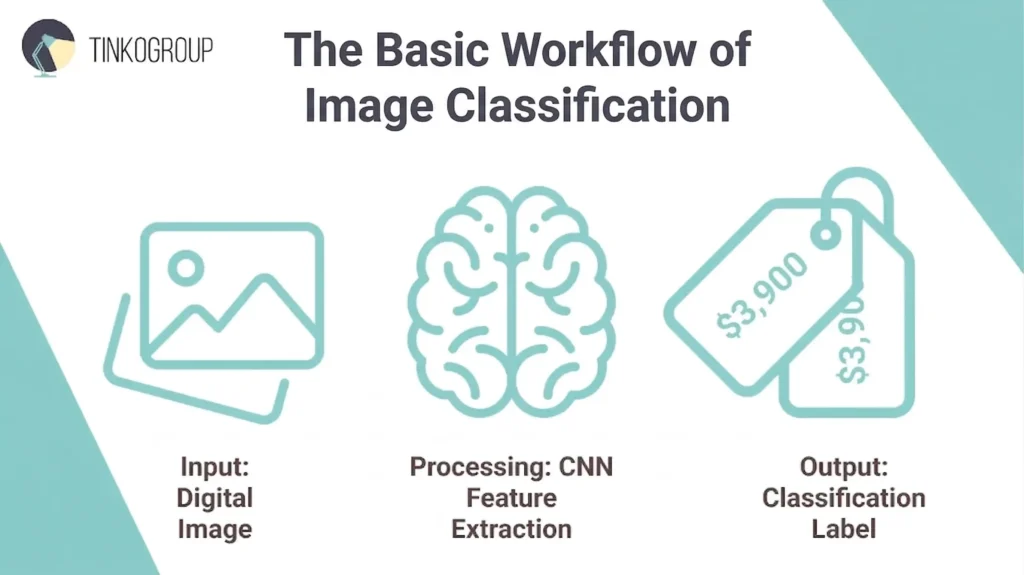
The Basic Workflow: Input -> Processing -> Label
Input – The Image. Everything starts with a digital image, which is just a grid of pixels to the computer. It can be a product photo, an X-ray, or even a social media post. Before the model can analyze it, the image is often reformatted and resized to the model’s standards. Each pixel has color values, and the model sees a complex pattern of numbers.
Processing – The Model’s Work. This is where the model uses a neural network called a Convolutional Neural Network (CNN). During training, the model is shown thousands of pre-labeled images (the training dataset). It iteratively adjusts its internal parameters to detect hierarchical patterns – first simple edges and textures, then more complex shapes and parts, and finally entire objects. It learns which combinations of these visual features are most strongly associated with each label.
Output – The Label. When a new image is fed into the trained model, it analyzes these learned features, calculates the probability that the image belongs to each class it knows, and outputs the label with the highest confidence score.
This process enables machines to label an image as quickly as humans do. Of course, you must also define what kind of classification you need.
Types of Image Classification
There are three primary types, and they are used for different business questions.
1. Binary Classification – a Simple Yes or No
This is the simplest form of image classification in computer vision. The model chooses between only two, mutually exclusive possibilities. It’s ideal for quality control, safety checks, and initial filtering.
Business example. On a factory line, an AI model reviews images of components. Its only job is to classify each image as defect or no defect. This creates a fast, automated sorting without human participation that separates faulty items for review.
2. Multi-Class Classification – Choosing One from Many
Here, each image belongs to one, and only one, of several distinct categories. The model’s job is to pick only one label with the best match. This is used for sorting and categorical analysis.
Business example. This is like sorting items into basic categories – plastic, glass, metal, or paper. In retail, it could be broad product types, like shirts, pants, or shoes. An autonomous vehicle’s vision system also uses multi-class classification to identify road elements. Each image patch is classified as either pedestrian, vehicle, traffic sign, or roadway. To train a model well, each category needs enough examples so it doesn’t get biased. And the main rule is that an image cannot simultaneously belong to multiple classes.
3. Multi-Label Classification – Assigning Multiple Attributes
It’s also known as image tagging. A single image can contain multiple relevant attributes or objects, and the model must identify all that apply. It moves from asking “What is this?” to “What is in this?”
Business example. In e-commerce, a product may have tags blue dress, floral pattern, summer style, size medium. Social media platforms tag uploads with beach scene, sunset, family for better search. In medical imaging, a tag may look like pneumonia, ground-glass opacity, or mild severity.
Understanding these types is the first important step when you are planning your AI project. It helps you decide how to organize your data, what annotators need to label, and what kind of results your model will produce. A correct choice early gives you a strong foundation for image classification dataset your model will learn from.
Image Classification vs Object Detection
When you’re selecting technology for your computer vision project, you should ask yourself one question. Do you only need to label what an image shows, or do you need to identify and locate specific objects within it? Many believe image classification and object detection are the same thing, but they differ a lot.
The easiest way to distinguish these two technologies is by the question they seek to answer.
- Image classification answers one question: “What is in this image?” The model looks at the image as a whole and assigns a global label that describes its overall content. For example, if you give it a photo of a park, the model may label it as outdoor, nature, or recreation. It does not point out where these elements appear. Instead, it confirms that they are present somewhere in the image. Image classification focuses on the main theme or dominant subject and treats the image as a single unit.
- Object detection, on the other hand, answers two questions at once: “What is it?” and “Where is it?” This approach identifies individual objects and shows their exact location using bounding boxes. Let’s take the same park photo. An object detection model will mark each tree, bench, person, or dog with a box and a label. The result is a detailed view of the scene, which shows both what objects are present and where each one appears within the image.
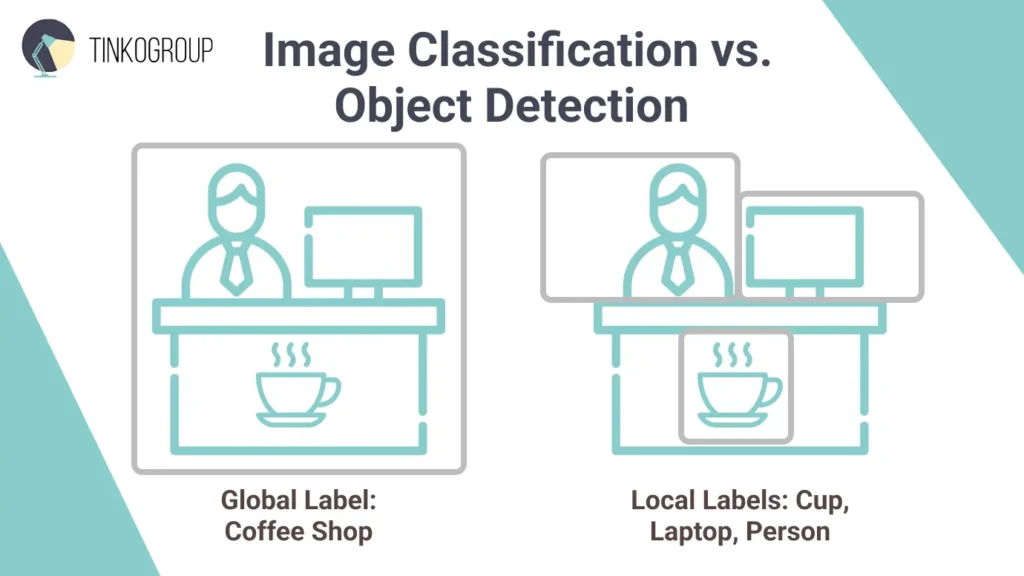
Cost and Complexity Comparison
From a project management perspective, these two approaches have different annotation workload and cost.
Image classification is relatively simple for human annotators. An annotator looks at an image and selects a label from a dropdown menu or clicks a button. It’s often a single-action task per image, and a trained professional can label hundreds of images per hour. So, such projects are highly scalable and easy to audit.
Object detection needs more effort. For every object, the annotator must:
- Identify the object.
- Draw a precise bounding box around it.
- Assign the correct label to that specific box.
If an image contains ten different items, the annotator must perform ten separate actions. So, object detection can be 5 to 10 times slower than simple classification. When you are dealing with a dataset of 100,000 images, it translates directly into time and cost.
| Feature | Image Classification | Object Detection |
| Core question | “What is this?” | “What is here and where?” |
| Output | One label for the entire image | Multiple bounding boxes, each with a label |
| Best for | Scenes with a single focus, overall scene categorization, attribute tagging, binary decisions. | Images with multiple, distinct objects; scenarios that require location, count, or spatial analysis. |
| Cost and speed | Faster and cheaper to annotate. | Slower and more expensive to annotate. |
Designing Your Taxonomy (Class Structure)
Before you start an image classification project, you should work on the taxonomy – the structured system of classes and relationships. It’s the logical backbone of the model, which defines what the model can recognize and what questions it can answer. Taxonomy will affect annotation quality and model accuracy. Without it, you will get ambiguous labels, inconsistent annotations, and models that may perform well technically but will fail operationally.
Defining Classes Before Project Kickoff
The initial goal of class design is to translate business needs into learnable, meaningful labels. So, at the discovery phase, domain experts and data scientists should work on questions What decisions will the model support? and What level of insight is required?
Classes should follow the MECE principle: they must be Mutually Exclusive (no overlap between labels) and Collectively Exhaustive (cover all expected real-world cases). To test this, it is important to work with real image samples as early as possible. Reviewing a small set of representative images often reveals natural groupings, unclear boundaries between classes, and cases that are not covered at all. You will never see it through theoretical planning alone. Each class must be documented with a clear definition, visual examples, and explicit rules for borderline cases. This documentation becomes the foundation of annotation guidelines.
Early validation is also important. Annotate a small pilot set (e.g., 100–500 images) and measure annotator agreement – you will immediately see problematic classes. If confusion happens too often, the taxonomy should be redesigned.
Managing Label Granularity – General vs. Specific Labels
One of the hardest parts of project management is deciding how specific your labels should be.
- Coarse-grained label – e.g., “Vehicle” – is fast to annotate, requires less data, and usually results in higher accuracy. However, it may not provide enough detail for the end-user.
- Fine-grained label – e.g., “2024 Ford F-150 Lightning” – is extremely useful for inventory or insurance use cases, but requires expert annotators and significantly more training data to distinguish subtle differences.
The best approach is to start as broad as business requirements allow and then refine. Granularity should be justified by return on investment (ROI). If increased specificity does not meaningfully improve decisions or outcomes, it adds unnecessary risk. Hierarchical refinement later is far less costly than repairing an overly complex taxonomy mid-project.
Building Hierarchical Structures (Parent-Child Relationships)
For complex projects, a hierarchical approach works best. Organize classes in parent–child relationships, similar to how we think about categories (for example: Vehicle → Car → Sedan). This setup allows the model to recognize broad features at higher levels and finer details at lower levels. It also makes the system more forgiving. If the model isn’t sure whether something is a sedan, it can still confidently label it as a vehicle. Hierarchies make predictions easier to understand and give you more flexibility.
Dealing with the Other/Unknown Category
Anomalies and edge cases are inevitable in real-world data. So, every real-world taxonomy must include an “Other” or “Unknown” category. It acts as a safety valve for outliers, novel objects, and low-quality inputs and prevents forced misclassification. Guidelines should include accurate thresholds, e.g., if <70% confidence in any class, tag “Unknown.” Monitor its prevalence: if >confidence in any class is less than 70%, the model tags it as “unknown”. If this threshold grows by a further 5-10%, it signals taxonomy gaps. You should investigate the reasons and expand classes accordingly.
Building a High-Quality Image Classification dataset
Model machine learning models approach human-level accuracy, but the key to truly exceptional AI is training data quality. Building a strong dataset required attention to collection, cleaning, annotation, and quality control. Here’s a practical guide for AI project managers to get it right.
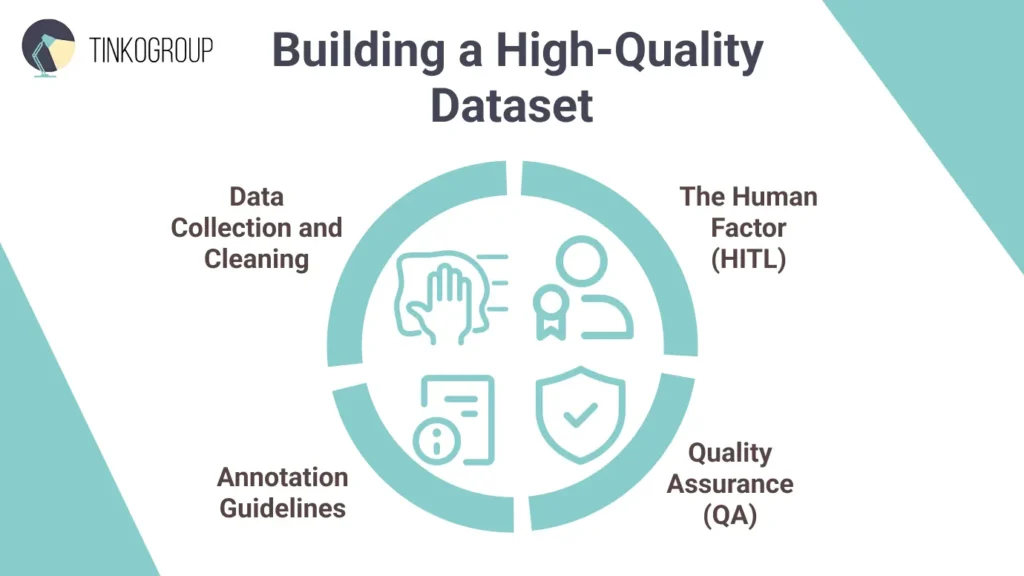
Data Collection and Cleaning
First, you should collect diverse, representative images that reflect real-world conditions. Sources can include internal datasets (product photos, sensor feeds), public datasets (ImageNet or LAION subsets), or licensed APIs. But remember about privacy and copyright regulations.
Now, clean the dataset. Remove duplicates, as images that appear more than once can confuse the model and make it seem more accurate than it really is. You can use automated tools to quickly find almost-identical pictures. Then, get rid of “bad” images – blurry, low-quality, corrupted, or not relevant to your classes. Sometimes, these outlierscan also hurt performance. Visualization tools can help spot these tricky cases. Remember, a smaller set of high-quality images is usually better than a much larger set of messy ones.
Annotation Guidelines
Mistakes often happen during annotation. Clear, detailed instructions let annotators label flawlessly. Define each class, show examples of correct and incorrect labels, and provide rules for tricky or borderline cases. Also, you should provide visual examples to help people understand what to label and what to ignore. Your documentation should address:
- Edge cases. If a level of uncertainty is 70%, how do we label it?
- Class definitions. Provide visual examples of Correct vs. Incorrect labels.
- Negative samples. Explicitly define what not to label to prevent the model from getting over-eager.
Run practice exercises and calibration rounds with annotators before you start full-scale work. You should aim for a high inter-annotator agreement (Cohen’s Kappa >0.8).
The Human Factor
Even the smartest AI can’t match human judgment in all situations. Human-in-the-Loop (HITL) guarantee high-quality “ground truth” for image classification AI. Humans can label from scratch or check AI-generated labels. In image classification, humans can check if labels are correct when images are hard to interpret, when defects look very similar or multiple labels apply. People catch model mistakes early and help the dataset handle unusual or edge cases. In healthcare or autonomous systems, this approach prevents serious errors. HITL helps build a dataset that the AI can truly rely on.
Quality Assurance (QA)
Mistakes happen, even with clear guidelines. High-quality projects use a consensus mechanism:
- Blind overlap. Assign the same image to three different annotators. If all three agree, the label is accepted. If there is a 2:1 split, the image is sent to a senior reviewer for a final decision.
- Golden sets. These are perfect images pre-labeled by your best experts. You use these to secretly test annotator performance.
Regular audits maintain standards – randomly check 5-10% of labeled data. Analyze error patterns and refine guidelines iteratively.
Common Technical Challenges
You may have a well-designed taxonomy and a strong annotation team, but your image classification project will eventually face real-world challenges. Real conditions are not predictable – cameras get dirty, lighting changes, and rare cases stay rare. Here’re most common technical problems.
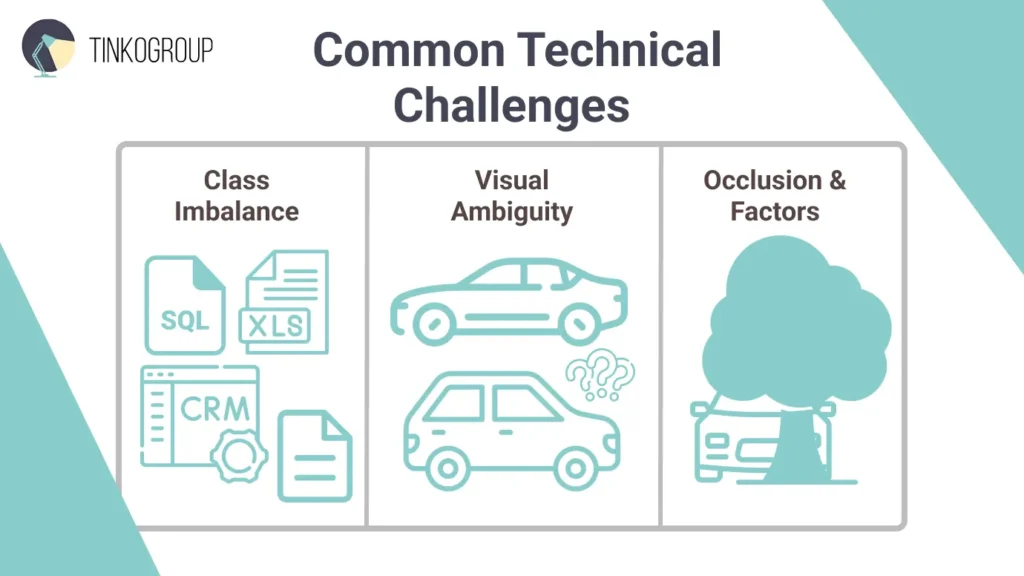
Class Imbalance
This problem happens when some categories appear much more often than others. Let’s take a defect detection project. You may have thousands of images of normal products and only a few showing defects. The danger here is a false sense of security. A model trained on this data may achieve 99% accuracy because it simply guesses “Perfect” every single time. It hasn’t actually learned what a crack looks like; it has only learned the probability of the majority class. If you notice your model consistently failing on rare classes, it’s one of the clear signs your team needs to improve its model training strategy.
There are a few simple ways to handle this. You can add more examples of rare cases or use fewer examples of common ones. You can also create extra examples of rare cases so the model has more to learn from. Finally, you can train the model so that missing an important rare case is treated as a bigger mistake than getting a common one wrong.
Visual Ambiguity
Visual ambiguity arises when images do not clearly fit into a single category or when the differences between classes are very subtle. In practice, this often leads to disagreement among annotators. If humans struggle to decide on a label, the model will struggle as well. This problem is frequently caused by too strict or unclear class definitions.
First, improve your annotation guidelines. Clear explanations and visual examples help annotators make the same decisions, especially for tricky or borderline cases. Build a visual library of “borderline” cases to show annotators exactly where the line is drawn.
Occlusion and Environmental Factors
Real-world images are rarely perfect. Objects can be partly hidden, seen from unusual angles, or affected by bad lighting, shadows, blur, or messy backgrounds. These factors make it harder for the model to recognize them.
Your image classification dataset should include these kinds of tricky images as well. You can also use data augmentation – images with added noise – to help the model learn under imperfect conditions. But it’s still important to collect real images from different environments. The goal is to teach the model to recognize objects even when the images aren’t ideal.

Reliable Data Services Delivered By Experts
We help you scale faster by doing the data work right - the first time

Real-World Industry Applications
The real goal of image classification in computer vision is not achieving perfect accuracy, but solving real business problems. And it’s already actively used in many industries.
E‑Commerce and Retail
In online retail, image classification turns product photos into tags that make shopping easier for customers. Computer vision models read images and assign attributes like color, style, or category.
Amazon offers a visual product search that lets users upload photos to find similar items. Alibaba’s Pailitao allows shoppers to snap a picture of a product and search the catalog visually. Pinterest Lens lets users find ideas and products by simply pointing their camera at an object. In physical stores, companies like Walmart use computer vision to monitor inventory. Drones or shelf‑mounted cameras capture images, and classification models check stock levels – it reduces time and labor spent on manual counts
Content Moderation
Social media and marketplaces face billions of image uploads every day, and it’s impossible for humans to review them all manually. Image classification using machine learning automatically detects unsafe or inappropriate material before it appears to users.
Platforms use image classification to spot counterfeit goods. If an image is classified as containing a “Gucci” logo but the price and seller profile are suspicious, the system flags it for intellectual property (IP) review. Models can also detect NSFW images, violence, hate symbols, or graphic content and either remove them or flag them for review. They can also spot unauthorized use of copyrighted images or brand logos, helping protect intellectual property.
Healthcare
In healthcare, image classification doesn’t replace clinicians but helps them work faster and more consistently. Models can analyze medical images – X‑rays, CT scans, or dermatology photos – and flag those that need urgent attention.
For example, SkinVision classifies skin lesions into categories such as “benign” or “suspicious,” helping users and clinicians identify potential issues earlier. VisualDx is used in clinics to support diagnosis by matching symptoms with visual patterns across large medical image libraries.
Digital Asset Management (DAM)
Many companies have huge collections of images and videos –marketing materials, product photos, brand graphics and archives. Image classification in computer vision automatically tags these assets with labels like “outdoor adventure,” “product on white background,” or “group photo.” This means employees don’t have to rely on confusing file names or enter tags manually. They can quickly find and reuse the right images.
Specialized DAM platforms show how powerful this can be. Bynder is a good image classification example. It uses AI to automatically tag and organize assets, letting users search by image, find similar visuals, recognize faces, detect text in images, or even use natural language. This helps brands manage large libraries more easily and find content faster.
Conclusion
As we have explored in this article, image classification is the practical, powerful entry point into computer vision. It can transform visual data into automated data for any industry, be it a catalog for e-commerce or a unique dataset for medical diagnostics. Its success, however, depends not only on the complexity of the algorithm, as many believe, but on the quality of the training data. A clear taxonomy, meticulous dataset construction, and strategic handling of real-world challenges like class imbalance – these things separate a functional model from an excellent one.
For AI project managers, the lesson is clear: focus on the data and processes as much as the algorithms. Well-structured datasets, robust annotation guidelines, and human-in-the-loop validation turn experimental AI projects into practical tools that deliver measurable impact. But this process is a significant operational hurdle. It requires expertise.
This is where a dedicated partner becomes a force multiplier. Tinkogroup provides precisely that: scalable, expert data annotation teams that deliver the high-quality, ground-truth labels your model needs to perform reliably in the real world.
Build your vision AI on a foundation of quality. Tinkogroup’s data annotation experts will scale your annotation workflow with precision and efficiency.
What is the difference between image classification and object detection?
While both are computer vision tasks, image classification focuses on identifying the primary subject or theme of an entire image (answering “What is this?”). In contrast, object detection identifies individual objects within a scene and provides their exact location using bounding box coordinates (answering “What is where?”).
How many images do I need to train an image classification model?
The required volume depends on the complexity of your taxonomy. For simple binary classification (e.g., defect vs. no defect), you might start with a few hundred high-quality images.
Why is a hierarchical taxonomy important in image classification?
A hierarchical structure organizes labels into parent-child relationships (e.g., Vehicle → Car → Sedan). This approach allows the model to be more flexible; if it cannot confidently identify a specific sub-class, it can still provide a correct broader label.