


In recent years, e-commerce has experienced unprecedented growth: sales volumes continue to increase, users are increasingly making purchases online, and competition is intensifying — making Shopify catalog management more critical than ever. However, industry research shows that the average e-commerce conversion rate remains in the range of 2-4% for most online stores, despite the growth in traffic and advertising investments.
This means that thousands of visitors may come to the store every day, but only a small fraction become buyers. What does this phenomenon indicate? Industry practitioners and analysts are increasingly noticing a pattern: the root of the problem is not traffic, but how effectively the store helps users find the right product. And this is where Shopify catalog management comes into play: a well-designed catalog structure changes the game entirely.
In the early stages of e-commerce development, operators thought that traffic was the key to sales growth. Today, experienced consultants argue the opposite: traffic without a logical catalog, where everything is clear at a glance, is wasted potential. A user who comes through advertising or organic search is ready to buy, but if they see an unstructured storefront, they leave.
The purpose of this article is to show how catalog organization reduces friction, improves product categorization, enhances faceted search, and increases e-commerce conversion rates.
The Psychology of Search & Discovery
To understand the importance of catalog structure, you first need to understand user behavior. Online shoppers are not very patient. When a person enters a store, they are already in the “I want to buy” mode — they want to find the right product quickly. Studies show that 43% of users go straight to the search bar as soon as they open a store’s website. This means one thing: users crave speed and accuracy.
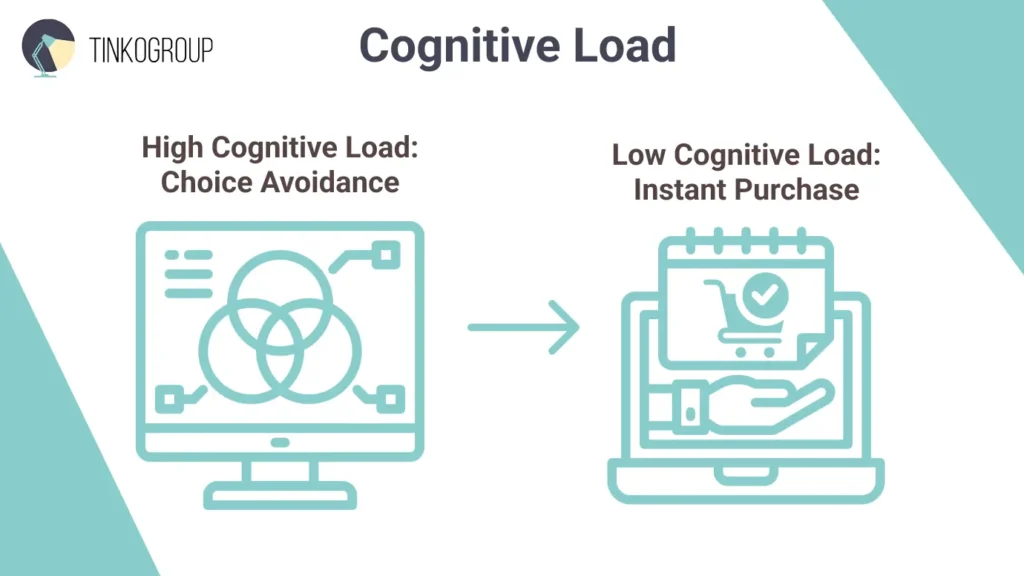
Cognitive Load: Why Catalog Organization Is Critical
The term cognitive load describes the mental effort a person expends to complete a task. When pages are filled with chaotic products, navigation looks like a maze. In this state, the human brain tries to simplify the choice, and what do most people do? They leave for another site.
Psychologists call this phenomenon “choice avoidance”: when there are too many random options, the user experiences information overload and stops trying to buy. In e-commerce, where the average user makes a purchase decision in seconds, even a couple of extra clicks can cost a sale.
Search vs. Wandering
Most users don’t like to “wander” around a website. They want to find the product they need in <3 clicks. If product categorization is done incorrectly, users make unnecessary, meaningless clicks, which increases cognitive load and reduces the desire to continue shopping.
That’s why competent catalog organization with clear Shopify collection names and accurate Shopify product tags is not a designer’s whim, but a business decision that directly affects UX and the final e-commerce conversion rate.
The Technical Backbone: Collections vs. Tags
In Shopify, the catalog structure is built on two levels: Shopify collections and Shopify product tags. Both elements are basic “building blocks” that determine how users see and find products, but they are often underestimated.
What Are Shopify Collections?
Shopify collections are broad categories that help segment products at the main menu level. Examples: Men, Women, Sale, New Arrivals. They set the first filter for the user and form the search context.
What Are Shopify Product Tags?
Shopify product tags are elements that specify product attributes: color, size, material, and style. Tags are the bridge for filters and faceted search.
Why Tag Errors Destroy the Structure
When stores use tags randomly — for example, one product has the tag “Blue,” another has “Navy,” and a third has “Ocean” — the filter system breaks down. A user looking for a blue product will not see all relevant options because the tags are not consistent.
Such an error breaks the logical search chain, impairs the performance of filters, and reduces the chance of a purchase. That is why data standardization — a standard, consistent approach to product attributes — is not an option but a necessity.
Faceted Search: The Conversion Booster
Faceted search is a tool that allows users to refine their search based on a variety of parameters: price, size, color, brand, material, etc.
Why Faceted Search Affects Sales
According to analytics, users who use the search function on a website are 2-3 times more likely to convert to a purchase than those who do not use the search function.
Moreover, websites with advanced search capabilities typically have 50% higher conversion rates than those with basic or broken search functions
When faceted search works, users can shorten their path to purchase to just a few clicks. This is critical, especially when a website has thousands of items. Advanced search helps remove “information noise” and quickly directs users to relevant products.
How Data Errors Kill Search
Imagine this situation: a user needs “blue sneakers, size 42.” If one product is tagged “blue” and another “blu,” the filter may not immediately show all relevant options. As a result, the user gets a limited list and goes to a competitor.
This is where data standardization comes in. This practice brings product attributes to a uniform format, making them understandable for filters and improving the performance of faceted search.
Search Behavior and Revenue Impact
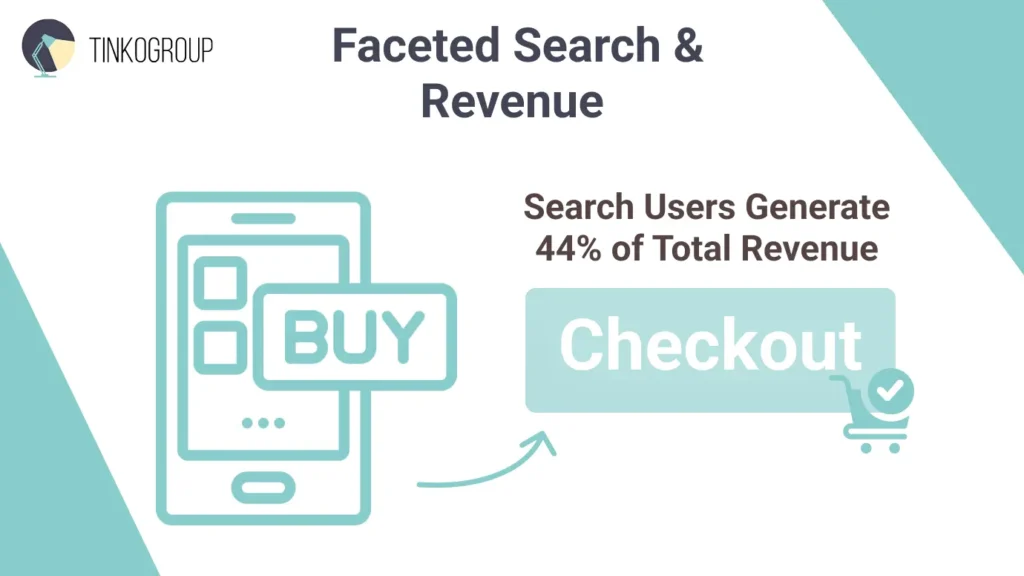
In addition to increasing the likelihood of a purchase, search also has a clear impact on revenue. According to research, users who use internal site search account for approximately 24% of visitors but generate 44% of the site’s total revenue and 42% of all conversions.
This means that only a quarter of visitors who search for products are responsible for almost half of all sales. Users who use the search bar often come with a higher intention to buy than those who simply browse the site.
Better Recommendations = Higher AOV (Average Order Value)
Higher conversion rates aren’t the only KPI that benefits from a structured catalog. Good product recommendation logic helps increase average order value (AOV).
Recommendation algorithms use data on product attributes, categories, and tags to group products that really complement each other: for example, a T-shirt + jeans + sneakers in the same style. If the data is incorrect, the logic breaks down, and the system may suggest completely irrelevant products — for example, winter boots next to summer shorts.
Research shows that personalization and relevant recommendations can increase conversions by up to 26% compared to basic sales displays.
This means that correct product categorization not only increases the likelihood of a purchase but also helps increase average order value through cross-selling and add-ons.
Mobile Experience: Where Structure Matters Most
The mobile experience in e-commerce has long ceased to be an “additional channel.” In recent years, more than 60–70% of all e-commerce traffic comes from mobile devices, and this share continues to grow year after year. However, traffic growth does not mean sales growth: e-commerce conversion rates tend to be lower on mobile devices than on desktops.
The reason for this gap lies not only in screen size or connection speed. The main factor is the catalog structure. Where desktop users are still willing to “put up with” chaotic navigation, mobile users simply leave.
Limited Space = Increased Demands on Structure
Mobile screens radically limit the amount of information available to users at any given time. This means that every mistake in catalog organization becomes more noticeable and painful.
While a desktop user can visually scan a page with 20-30 products, a smartphone user can only see 2-4 cards. If these products are irrelevant, the user perceives this as a lack of assortment and stops interacting.
That’s why product categorization and Shopify collections logic on mobile devices play a crucial role. Categories should not only be logical but also predictable: the user should intuitively understand where to find the right product without thinking about the terminology or internal rules of the store.
Why Mobile Users Rely on Filters More
Research shows that mobile users are twice as likely to use filters as desktop users because manually browsing products on a small screen is extremely inconvenient.
This is where faceted search works correctly and is critically important. If filters return empty or partially relevant results, the user perceives this as a system error and leaves the site.
However, filters work only as well as the quality of the product attributes descriptions. If color, size, material, or style are described inconsistently, filtering on mobile devices becomes useless.
An example of a typical problem:
- One product has the attribute “Blue.”
- Another has “Navy.”
- And a third has “Dark Blue.”
From a human perspective, these are the same thing, but for a system without data standardization, these are three different values. As a result, faceted search on mobile devices does not fulfill its main function — shortening the path to purchase.
Mobile Search and Purchase Intent
Internal search on mobile devices is one of the strongest indicators of commercial intent. According to Expertrec, mobile users who use search convert 3–5 times more often than those who do not use search.
However, the effectiveness of mobile search depends entirely on the structure of the catalog. Search relies on:
- Correct product categorization.
- Standardized product attributes.
- Consistent Shopify product tags.
If the data is chaotic, the search returns irrelevant results, and users with a high intention to buy cannot find the right product. Thus, even if there is demand, the store loses sales solely because of poor data structure.
Speed of Decision-Making on Mobile Devices
Mobile users make decisions faster, but they also leave faster. According to Google, 53% of mobile users leave a site if it takes more than 3 seconds to load or interact with.
Although this metric is often associated with site performance, catalog structure plays an equally important role. When a user is forced to:
- Scroll through long lists.
- Open irrelevant cards.
- Go back because of broken filters.
They perceive it as a “slow website,” even if the pages load quickly from a technical standpoint.
A well-organized catalog, on the other hand, creates a sense of speed: users find the right product faster, make decisions faster, and complete purchases more often. This directly affects the e-commerce conversion rate and overall brand perception.

Reliable Data Services Delivered By Experts
We help you scale faster by doing the data work right - the first time

The Impact of Catalog Structure on Mobile AOV
Mobile users traditionally have a lower average check than desktop users. However, research shows that with correctly functioning recommendations and filters, this gap is significantly reduced.
Recommendation blocks on mobile devices are particularly sensitive to data quality. If product categorization and product attributes are set up correctly, the system can:
- Offer logical additions.
- Form product bundles.
- Increase the likelihood of adding a second or third product to the cart.
Thus, a competent mobile catalog organization becomes one of the key factors in increasing average order value even on smartphones.
Mobile-First as a Consequence, not a Cause
It is important to emphasize that successful mobile-first UX does not start with design. It starts with data.
Stores that try to “fix” mobile conversion solely through UI changes often find themselves with limited results. Without:
- Standardized Shopify product tags.
- Clear Shopify collections logic.
- Consistent product attributes.
- Even the most polished mobile interface cannot solve the fundamental problem.
That’s why mature e-commerce teams treat Shopify catalog management as the foundation of a mobile strategy, not a secondary administrative task.
Conclusion
E-commerce experience shows that a catalog is not a secondary administrative part of a store, but the foundation of the user experience. When catalog organization is logical, product categorization is clear, and product attributes and Shopify product tags are standardized, users spend less effort searching and more time making purchasing decisions.
A well-organized catalog reduces cognitive load, enhances faceted search, increases trust in the store, and directly impacts key business metrics. It is through the catalog structure that a store begins to improve customer experience, increase e-commerce conversion rates, and create conditions for increasing average order value, rather than simply attracting traffic without results.
Thus, treat Shopify catalog management as an investment in UX and business scalability, rather than a routine task of maintaining inventory. In a highly competitive environment, it is not the stores with the most products that win, but those whose products are presented in a way that is clear, consistent, and predictable for the user.
Catalog work is unglamorous, but it moves the needle. If you’re ready to treat product data as a revenue asset rather than an admin backlog, take a look at what Tinkogroup does for e-commerce teams.
What is Shopify catalog management, and why does it matter?
Shopify catalog management is the process of organizing products into logical collections, applying consistent tags, and standardizing attributes. It directly affects how easily customers find what they need — and whether they buy or leave.
Why do filters and faceted search stop working correctly?
Usually because of inconsistent tagging. When the same color is saved as “Blue,” “Navy,” and “Ocean” across different products, the filter system treats them as separate values. Customers searching for blue items won’t see all relevant results — and the sale is lost.
How does catalog structure affect mobile sales specifically?
Mobile users rely on filters far more than desktop users because manually scrolling through product lists on a small screen is impractical. If the underlying data is inconsistent, filters return incomplete results — and mobile shoppers, who make decisions quickly, simply move on.